We are excited to release our new content delivery platform, Car Care Hub, that significantly upgrades performance, features, security, and functionality, while also making our products even easier to use. Over time, you'll continue to receive new features and benefits, including the eventual consolidation of all AutoNetTV products into this one platform. We appreciate your patience and support as we release this new system, and we hope you'll share any feedback on what we can continue to improve to meet your needs. The timing of migrating all of our customers to this new platform may depend on your specific subscription, as well as any major brand or corporate affiliation you have and their agreement with AutoNetTV.
Here are a few of the overall benefits every customer will receive with our new platform:
- Faster system performance, including content searches.
- Simpler and easier online interface.
- Greater control and flexibility over the look and feel of your program(s).
- Refreshed content layouts and designs.
- More maintenance & repair services available for selection - including in the menu display of services, and for video and image content that display on a TV with subscriptions using our connected media player.
- New and upgraded model of media player that has 2x the amount of RAM and 2x the amount of storage space for content. This player also has major OS, security, and performance upgrades.
Below are some of the benefits for customers using our Car Care TV Pro (Digital Menu Board) product:
1) New layout design with many easy-to-customize options for how the display looks. Watch the video below to see the styles and configurations you can easily adjust -
As you can see, you can now:
- Choose your menu list to appear full-screen, in a large main zone, in a medium side zone, or in a small side zone
- Pick the number of columns and rows, and how long they should display
- Choose Light or Dark mode and color accents
- Re-arrange the placement of your menu on the screen
- Allow your menu list to animate when entering/exiting the screen
2) Animations to bring greater attention to the menu list of services. You can choose your transition, and the timing for when they switch.
3) The menu displays all of your service list, and can remain on screen permanently.
4) Services can be grouped together, with headers, and you can specify their order for more control and a better looking display.
5) Greater control over your color and branding.
6) More control over the menu list and video display of services. For example, you can choose to display Water Pump videos in your program rotation, but not display that text as a service in your pricing list (or the other way around).
Below are some of the benefits for customers using our Car Care Entertainment TV (Lobby/Waiting Area TV) product:
1) New layout design with many easy-to-customize options for how it looks, including choosing full-screen, or medium vs small side zone content display. Watch the video below to see the styles and configurations you can easily adjust -
2) Longer TV program. Due to our new media players having 2x more storage space, this program is now longer than ever, and you can add even more of your own content too.
3) Choose your program mix - Car Care videos only, Entertainment videos only, or Blend of Both (default recommendation).
*To see more examples of the new Program Layouts and Designs, view that Help section article HERE.
All of our TV based products now have an easier program management interface, giving you more viewing options, including seeing and editing all zones at once.
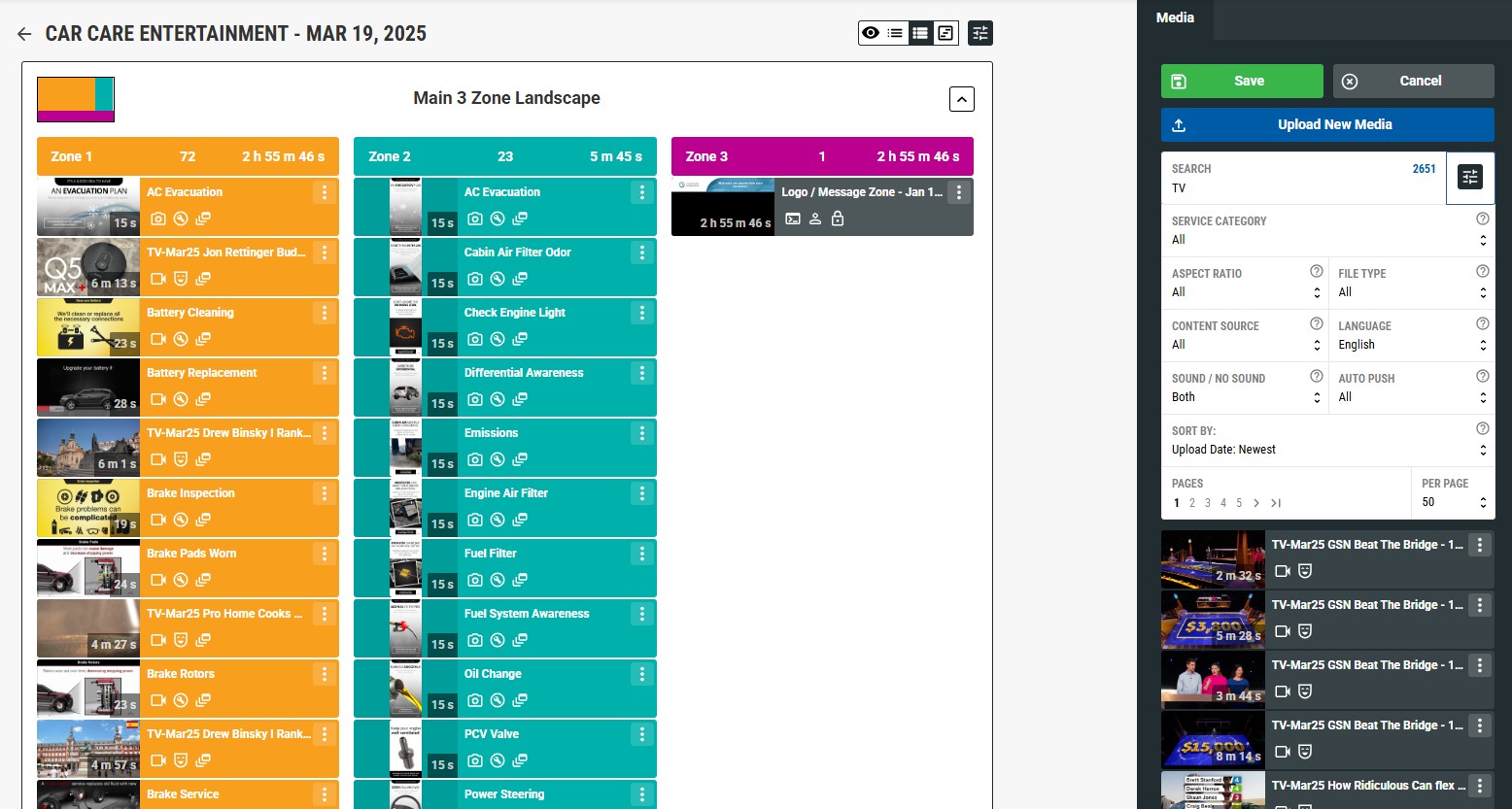
Frequently Asked Questions (FAQs) -
- Question - Will every AutoNetTV customer need to replace their media player?
- Answer - Most customers who use a media player as part of their subscription(s) (e.g. Digital Menu Board and Lobby TV products) will need to replace their media player, but not all. If you have our basic Car Care TV (CCTV) enterprise menu program then you will not need to upgrade your media player. Also, some new accounts and products may already have the latest media player. Our team will contact every customer that needs to upgrade their equipment. You can also contact our Customer Success team to find out if yours needs to be replaced. The new media player, shown below, is very similar to the one most customers currently have - but with many upgraded features. Note - please do NOT use the old power cord from the old player.
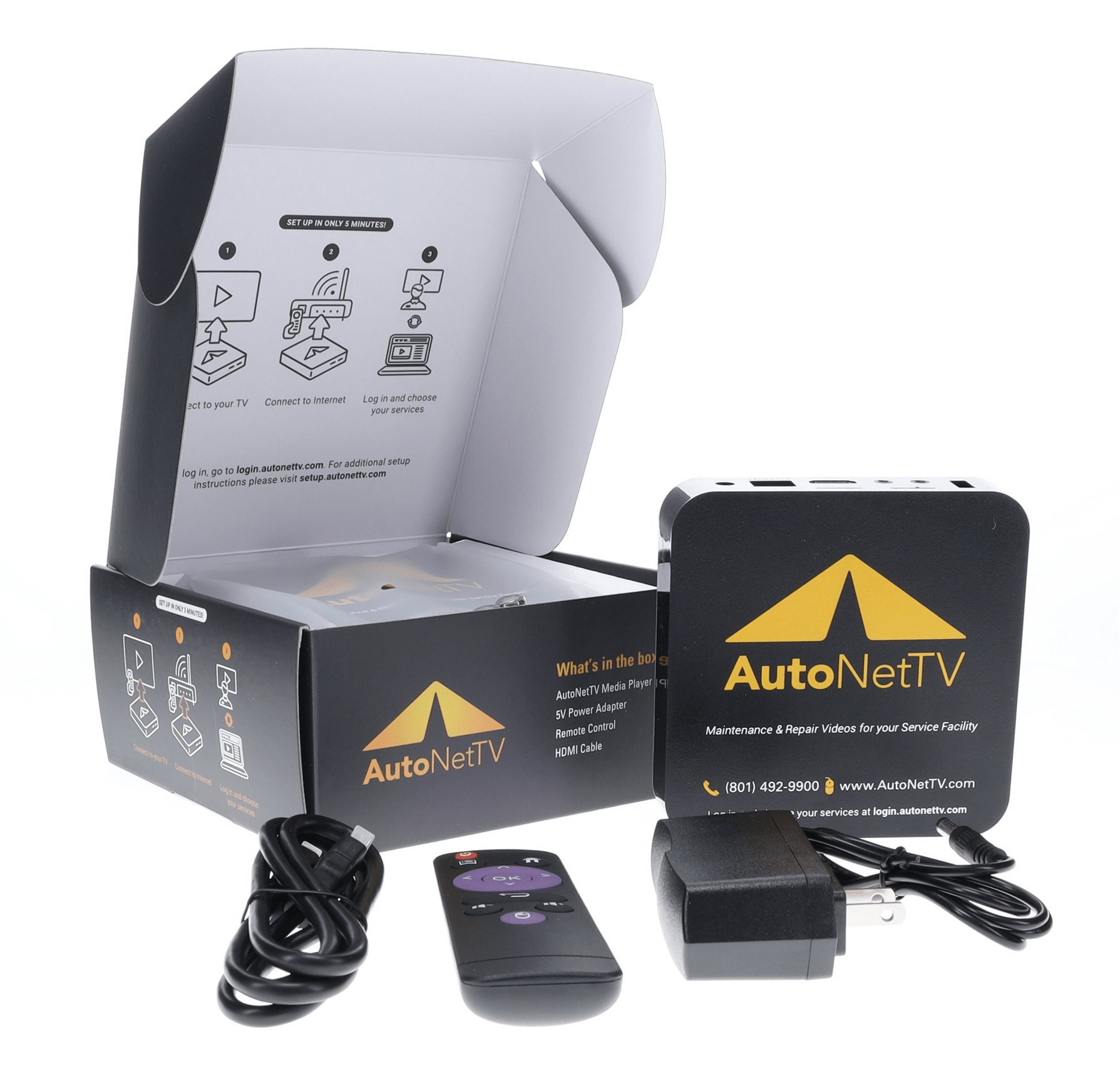
- Answer - Most customers who use a media player as part of their subscription(s) (e.g. Digital Menu Board and Lobby TV products) will need to replace their media player, but not all. If you have our basic Car Care TV (CCTV) enterprise menu program then you will not need to upgrade your media player. Also, some new accounts and products may already have the latest media player. Our team will contact every customer that needs to upgrade their equipment. You can also contact our Customer Success team to find out if yours needs to be replaced. The new media player, shown below, is very similar to the one most customers currently have - but with many upgraded features. Note - please do NOT use the old power cord from the old player.
- Q - Will customers be charged to upgrade the media player?
- A - No. If your subscription is one that requires a media player upgrade, you will not be charged for either the equipment or shipping and handling to receive a new media player. However, any additional subscriptions you wish to add may require paying for any new media players.
- Q - Why do customers need to switch to the new platform and media player?
- A - Smart phones often require their users to update their Operating System (OS), App versions, and sometimes will also require hardware upgrades in order to use their current software and applications. Similarly, the OS and hardware for our media players are many generations old and have protocols that no longer support the latest security and performance requirements for connected applications. Our online user interface was also due for an overhaul. Like other tech platforms, AutoNetTV will discontinue support for its old products and deem them "end-of-life" by a certain date. Our goal is to have all of our customers receive the many upgrades and benefits that come from switching to our new platform as soon as possible.
- Q - Will there be a deadline for customers to switch to the new platform?
- A - Yes. We will coordinate with every customer, large and small, and provide clear information by email and phone to ensure enough time to switch customers before our end-of-life date - which will be announced soon.
- Q - How difficult will it be to connect the new media player?
- A - Super simple, actually. Our updates have shortened the steps to activate and connect the new media player so it's the easiest it's ever been.
- Q - Do customers need to return or re-use the old media player once the new one is connected?
- A - No. You don't need to return the old player, and please do NOT use the old power cord from the old player. When you receive an email confirmation for the shipment of your new media player(s), please be on the lookout for the package, shown below. They have been known to be misplaced on many parts department shelves.
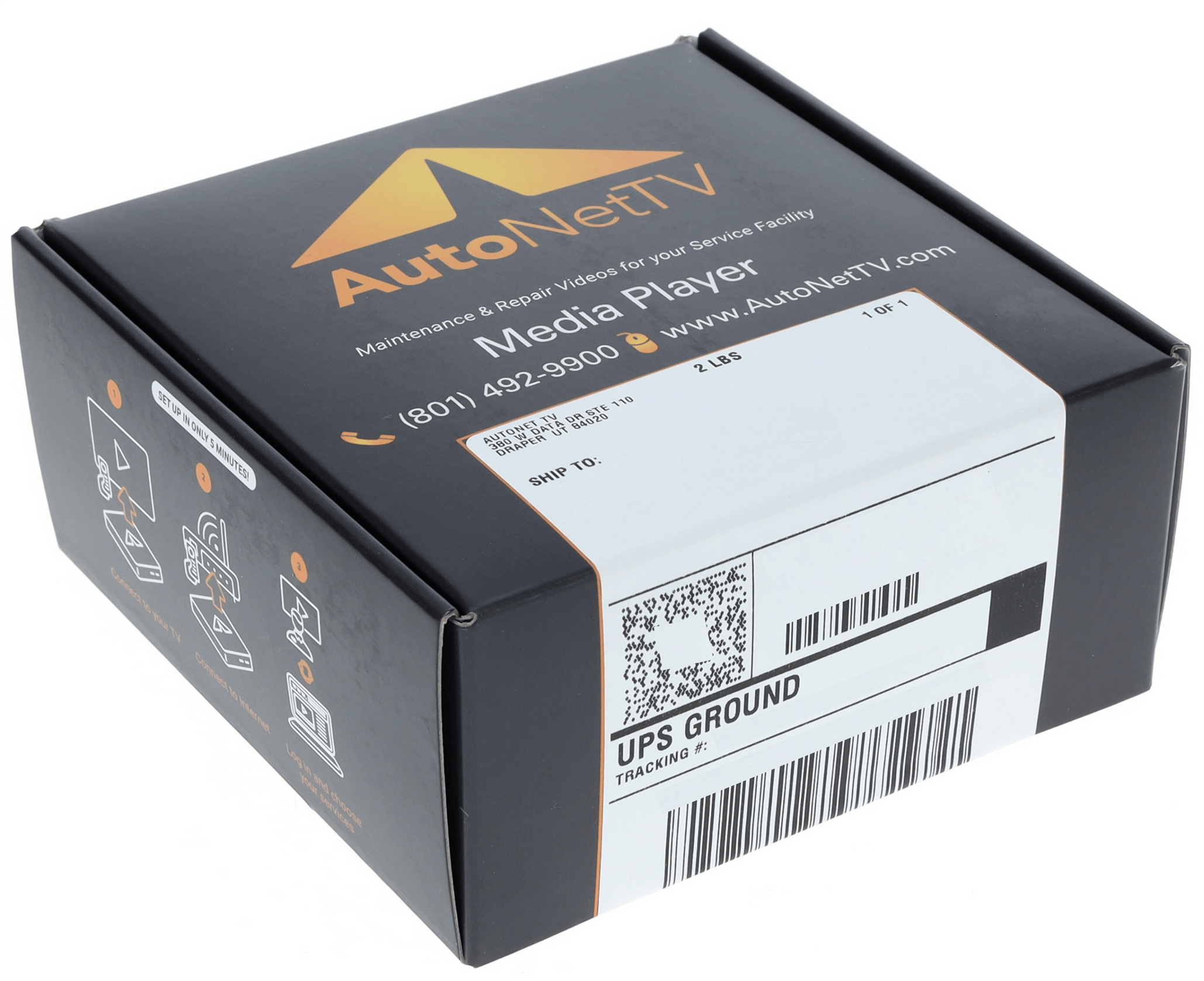
- A - No. You don't need to return the old player, and please do NOT use the old power cord from the old player. When you receive an email confirmation for the shipment of your new media player(s), please be on the lookout for the package, shown below. They have been known to be misplaced on many parts department shelves.
Any questions, or need help? Give us a call at (801) 492-9900, or email us at support@autonettv.com.
Was this article helpful?
That’s Great!
Thank you for your feedback
Sorry! We couldn't be helpful
Thank you for your feedback
Feedback sent
We appreciate your effort and will try to fix the article